Is this HEIC to JPG converter free?
Yes. This HEIC to JPG converter is completely free with no sign-up, watermark, or limits on how often you convert.
Does it upload my HEIC photo to a server?
No. The HEIC file is decoded, previewed, and exported to JPG entirely in your browser, so the photo stays private on your device and is never uploaded.
What is the difference between HEIC and HEIF?
HEIF is the underlying image container and HEIC is Apple's HEVC-encoded version of it used on iPhone. This tool handles both and exports a standard JPG.
Can it convert many HEIC files at once?
No. This version is single-image by design to keep the in-browser workflow fast and predictable. Convert one photo at a time.
Does it work on iPhone and Android?
Yes. The converter runs in a mobile or desktop browser, so you can convert a HEIC photo directly on your phone without an app.
Does converting HEIC to JPG make the file smaller?
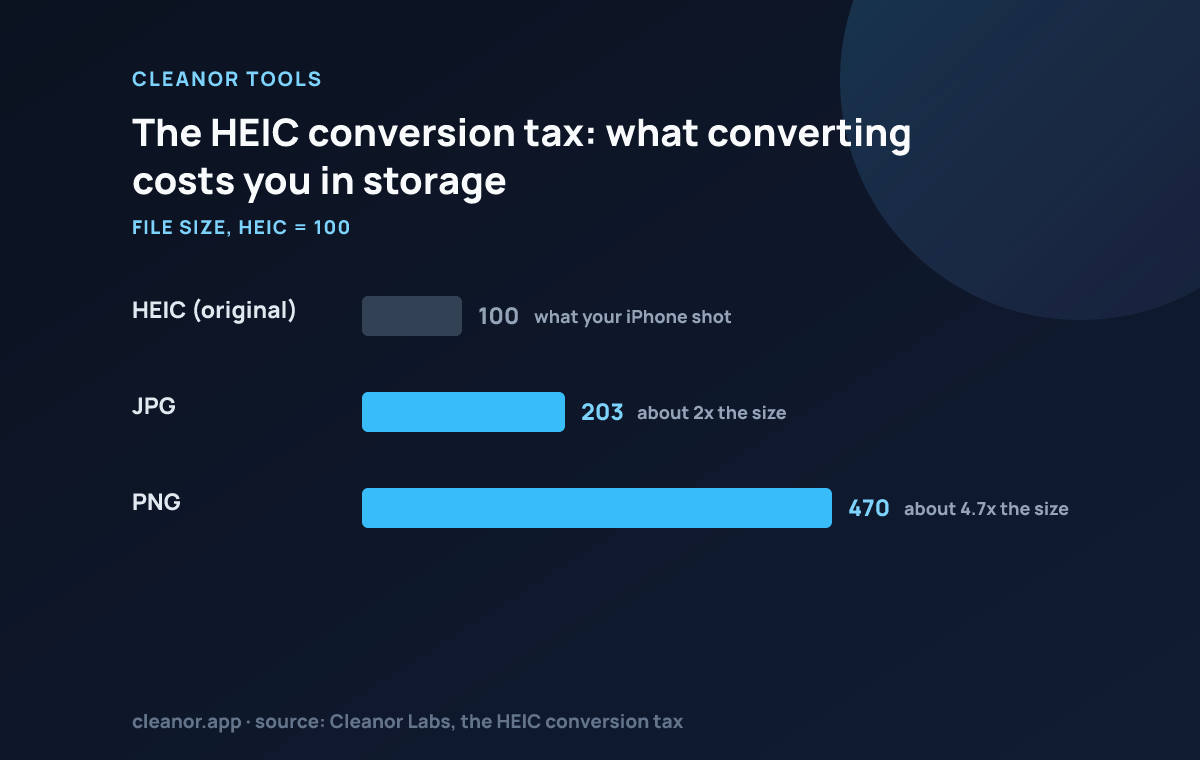
No, the opposite. Our own benchmark measured a quality-matched JPG at roughly 2x the size of the iPhone HEIC it was converted from, and a PNG at 4.7x, with no visible quality gain. HEIC is simply the more efficient format, and converting away from it is a compatibility decision, not a size one.
Why does my iPhone save photos as HEIC?
Because it stores the same image quality in roughly half the space of a JPG. That efficiency is exactly why converting to JPG makes the file bigger, and why the setting exists at all.
Which quality preset should I use?
Balanced, which is quality 86. Higher fidelity (92) costs a real size premium for a difference almost nobody can see on a photograph, and Smaller file (76) is usually indistinguishable on a phone screen.
Should I convert HEIC to PNG instead?
Only if you genuinely need lossless. Our benchmark put the PNG at 4.7x the size of the HEIC, which for a photograph is the worst of both worlds: an enormous file that looks no better.
Does the JPG keep the Live Photo or the depth data?
No. Live Photo motion, depth maps and the HDR gain map are HEIC container features, and a JPG has nowhere to store them. Keep the original HEIC if any of that matters.