What size should a LinkedIn banner be?
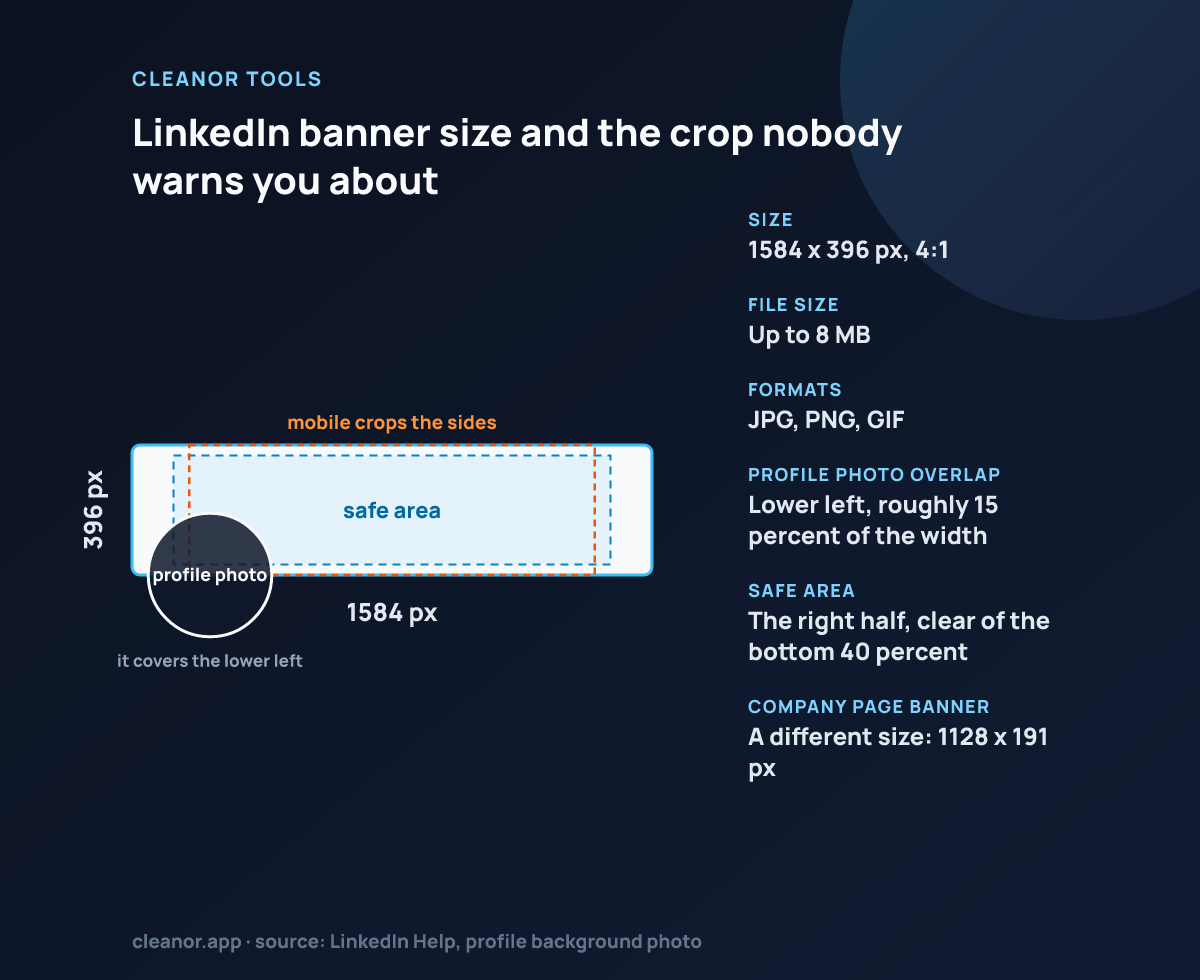
A common LinkedIn profile banner size is 1584 × 396 pixels, which is the preset used on this page.
Is crop or fit better for LinkedIn covers?
Crop is better when the banner should feel edge-to-edge. Fit is better when the whole image must remain visible and extra space is acceptable.
Does this send the image to a server?
No. The framing and export happen locally in the browser, so the source image stays on the device while you prepare the banner.
Why is 1584 x 396 the right LinkedIn banner size?
It is the native pixel size LinkedIn renders the profile background at, and its 4:1 ratio matches the container. Uploading a larger 4:1 file only means LinkedIn downscales it, and uploading a different ratio means LinkedIn crops it for you with no control over what it keeps.
Where exactly does the profile picture sit on the banner?
On the desktop profile it sits over the lower-left corner of the banner and on mobile it sits lower and more central. Treat the left third and the bottom quarter of the 1584 x 396 frame as covered, and keep anything you need readable in the upper-right two thirds.
What file format and size does LinkedIn accept for a banner?
JPG, PNG and GIF, up to 8 MB. A 1584 x 396 JPG exported at 0.9 quality is usually a few hundred kilobytes, so the cap is not a practical constraint here.
My photo looks fine in the preview but LinkedIn crops it. Why?
That normally means the file was not 4:1. If you export from this page the ratio is already correct, so any remaining cropping is the mobile viewport showing a narrower centre slice, not LinkedIn re-cropping the file.
Can I use the same file as a company page cover?
No. LinkedIn company pages use a different, wider cover container than the 1584 x 396 personal profile banner, so a banner exported here will be cropped on a company page. Reframe the source at the size the page asks for.