Is this a different tool from Product image prep?
No. This is the same client-side engine and UI, just started from Amazon-style defaults and platform-specific copy.
Can I switch to another listing preset?
Yes. The page opens with Amazon-oriented defaults, but the same root-tool controls remain available if the framing needs to change.
Does this promise automatic background removal?
No. It uses canvas background fill and listing-background defaults, not true server-side background removal.
What are Amazon's main product image requirements?
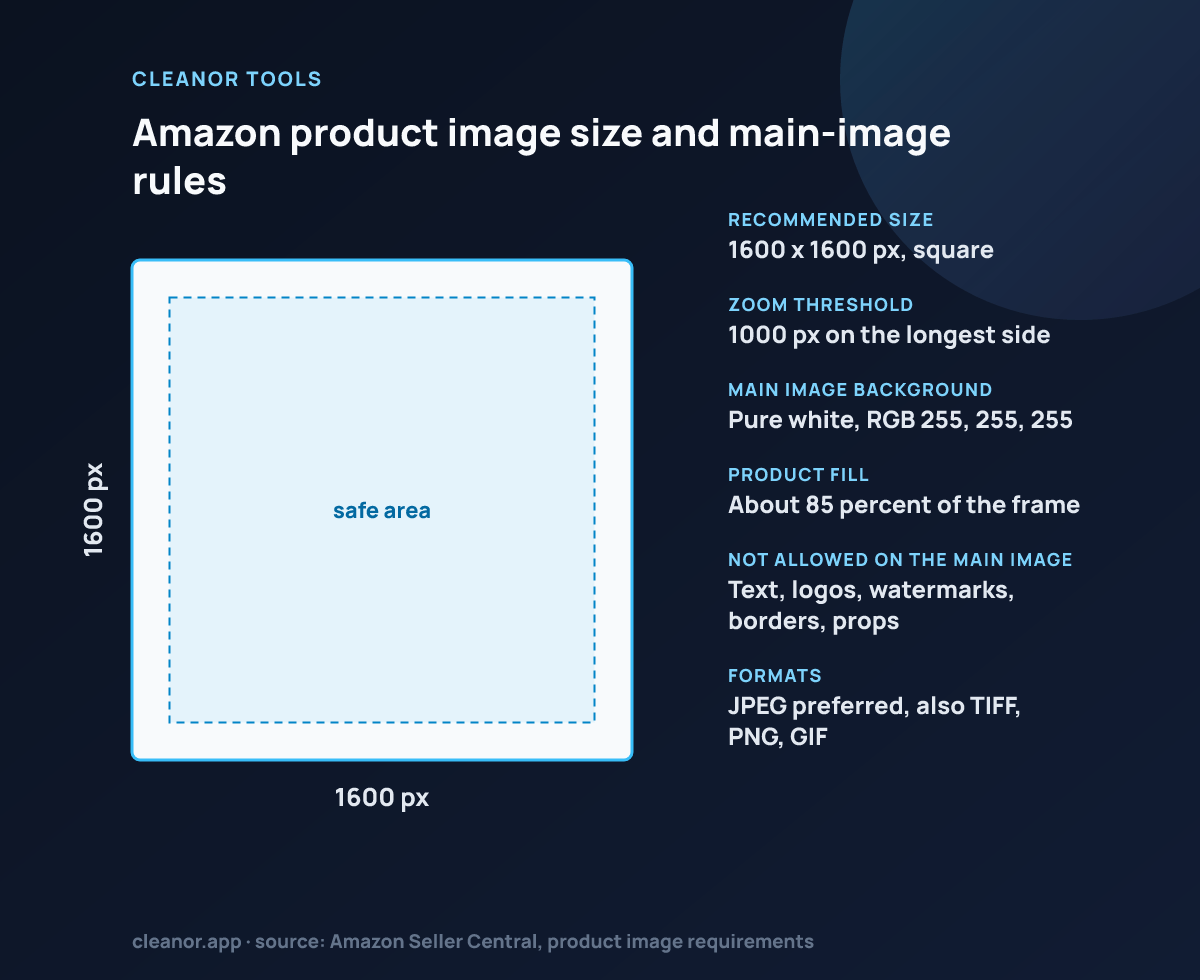
A pure white background at RGB 255,255,255, the product filling at least 85 percent of the frame, at least 1000 pixels on the longest side to trigger zoom, no text, logos, watermarks, borders or props, and the product must be the actual item for sale, professionally lit and in focus.
Why is 1000 pixels the number everyone mentions?
It is the threshold that turns on Amazon's zoom feature on the product detail page. Below it, buyers cannot magnify the image. Amazon recommends 1600 pixels or more on the longest side, which is what the square preset here produces.
Can I put my logo or a watermark on an Amazon image?
Not on the main image. Text, logos, watermarks and borders are prohibited there and can get a listing suppressed. Secondary images have more freedom, though Amazon still discourages anything that misrepresents the product.
Does fit mode give me a compliant white background?
Only if the product photo itself already has a clean cutout or a white studio background. Fit places your image on a white canvas, so any grey or coloured backdrop inside the photo is still there. Remove the background first, then use fit.
How do I actually reach 85 percent fill?
Zoom until the product's bounding box touches close to the frame edges with only a thin white margin. The 10 percent safe-area guide drawn here is a conservative marker, so a compliant main image sits slightly outside it.
Is 1600 x 1600 better than 2000 x 2000?
Both clear the zoom threshold. Larger files give a crisper zoom on the detail page, so if you have a high-resolution source, an image over 1600 pixels is not wasted. This page caps at 1600, which meets Amazon's recommended size.