Prepare listing-ready product images in the browser
Upload one image, pick a merchant preset, adjust the framing if needed, and export a cleaner marketplace-ready file with local browser processing.
Nearby tools from the catalog that fit the same job or workflow.
Listing-ready product shots
Prepare seller-ready listing images with safer framing, listing backgrounds, compression, watermarking, and metadata-safe export.
Clean marketplace backgrounds
Clean product photo edges manually, use white or neutral listing fills, frame the subject, and export a cleaner marketplace-ready image locally.
Batch seller prep
Process 10 to 100 listing images in one local pass with resize, format conversion, compression, watermarking, rename rules, and ZIP export.
Build listing collages
Build marketplace-ready collages with 2 to 6 images, before/after layouts, cleaner spacing, and local export.
Check listing readiness
Check whether product images look listing-ready for Amazon, Shopify, Etsy, eBay, Walmart Marketplace, Facebook Marketplace, or TikTok Shop.
Rename assets cleanly
Rename product images in batch with SEO-friendly patterns, live preview, and browser-only ZIP download.
Save the tool to keep it easy to reopen from your account and favorites filter.
Sign in
Sign in to add this tool to your favorites.
Everyone can see the current score. Signed-in users can leave a 1 to 5 star rating, and any written review goes only to review@cleanor.app.
No ratings yet. Be the first to leave one.
Sign in to leave a public score from 1 to 5 stars. Optional written feedback is private and emailed only to review@cleanor.app.
This block mirrors the system review flow: score first, then an optional private note.
A quick way to understand who this helps, what it solves, and where it connects next.
Etsy sellers preparing listing photos, cover-ready product shots, and cleaner handmade or vintage product images
Turning one product photo into an Etsy-friendly listing export with simple framing, clean background tone, and lighter upload weight
Capture Etsy listing-image intent with a platform-specific entry point that still reuses the same product prep engine cleanly
Cleanor and Cleanor and Another You
These sections explain the job in plain language and set expectations for what the tool should do well.
A lot of Etsy listing work is repetitive rather than creative. The image already exists, but it still needs the right listing frame, a cleaner canvas tone, and a lighter export before it feels ready to upload.
That makes a browser-first prep page useful because the job is usually not full retouching. It is just getting the product image into a cleaner listing-ready shape quickly.
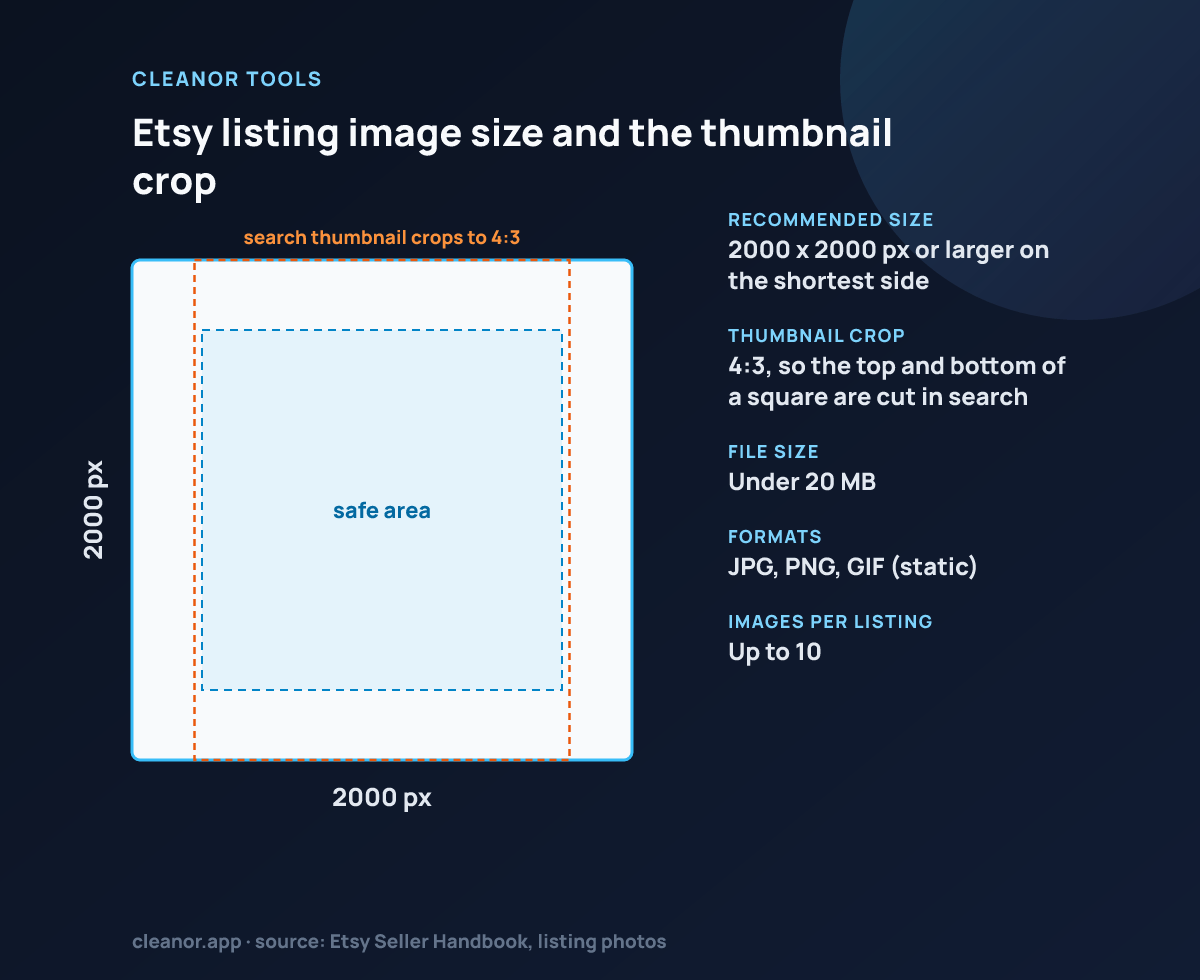
This variant starts from a portrait-oriented Etsy-style setup, but it keeps the same root tool workflow: upload, check the framing, make small adjustments if needed, and export the result locally.
Short answers for the questions people usually have before trying a utility like this.
No. It uses the same browser-based engine and workflow, but starts with Etsy-oriented defaults and page copy.
Yes. The page starts with Etsy-style defaults, but the same framing and export controls stay available once the image is loaded.
Yes. The image is prepared and exported in the browser, and the saved file is regenerated through canvas so common metadata is stripped on save.
Browser tools stay credit-based across the ladder: guests get a small daily balance, signed-in users start with monthly browser and AI pools, and paid tiers expand both balances as usage grows.
Checking access.
Balance details will appear as soon as the session finishes loading.
Resolving the account ladder and current credit window for this browser.