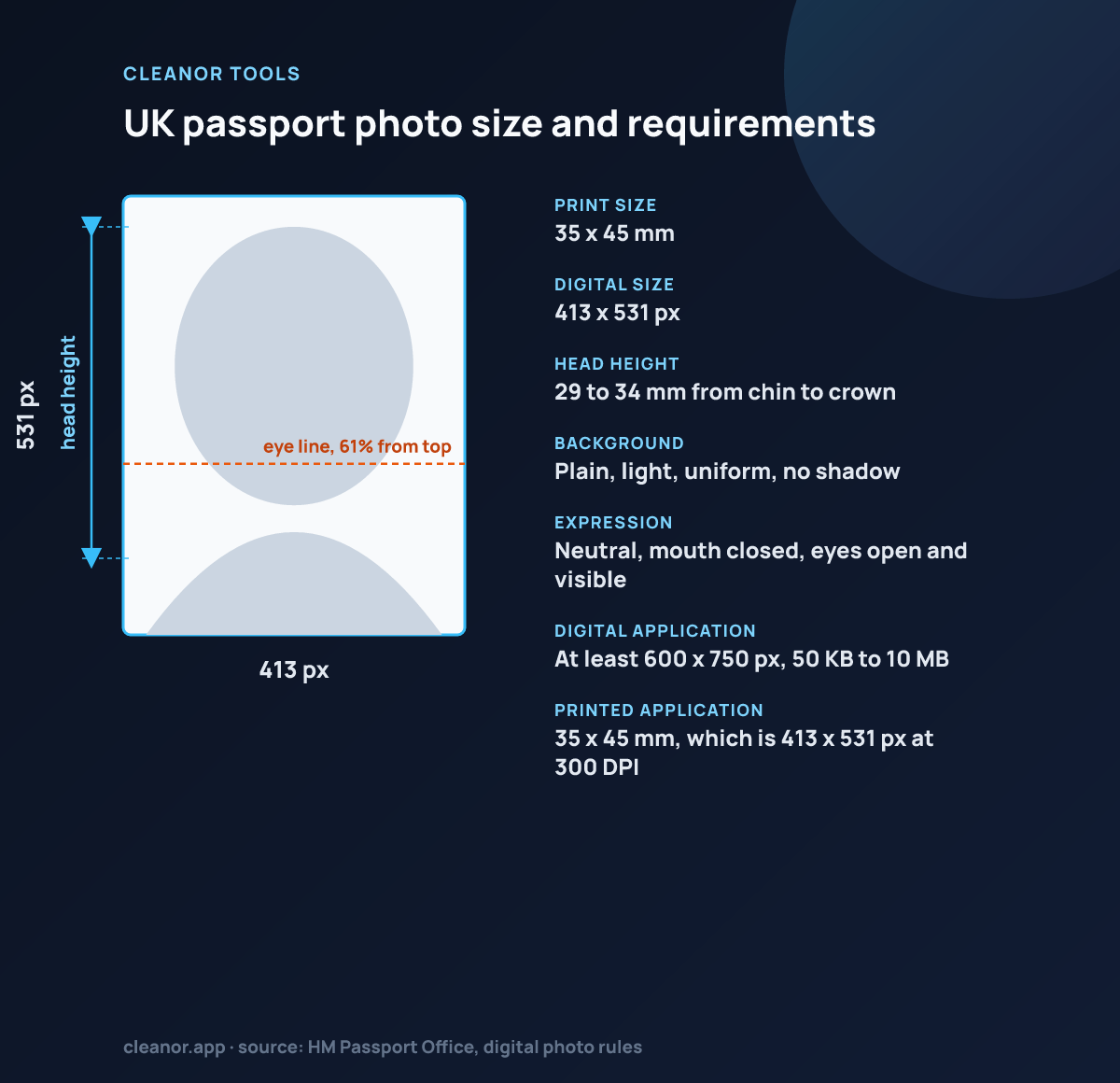
What size does this UK passport page use?
This page uses a 35 × 45 mm preset, which matches the common UK passport paper photo size.
Is this the same as a generic 35 × 45 mm ID crop?
Not exactly. The guide ratios here are tuned to the UK passport preset, so the framing expectations are slightly different.
Does the portrait stay local?
Yes. The image is framed and exported locally in the browser.
What size is a UK passport photo?
The printed photo is 35 x 45 mm, which is 413 x 531 pixels at 300 DPI and the preset locked here. The digital photo uploaded to the online application is a separate spec: at least 600 x 750 pixels and between 50 KB and 10 MB.
Can I upload this 413 x 531 export to the online passport application?
Not directly. The online service requires a minimum of 600 pixels wide by 750 pixels tall. Use this page for the 35 x 45 mm printed photo, and for the digital application supply a larger file at the same framing.
How big should my head be in a UK passport photo?
Between 29 mm and 34 mm from the bottom of the chin to the crown of the head, on a photo that is 45 mm tall. That is 64 to 76 percent of the frame, and it is the band the crown and chin guides draw.
What background colour does the UK require?
Plain light grey or cream, evenly lit, with no shadows behind you. Pure white is not required and a shadow on the wall is a frequent cause of rejection. The neutral cleanup mode aims at that light tone rather than white.
Is a 35 x 45 mm UK photo the same as a generic 35 x 45 mm ID photo?
The paper size is the same but the head band is not. The UK wants 29 to 34 mm chin to crown, while many other 35 x 45 mm standards, including Schengen, want 32 to 36 mm. This page uses the UK band, so do not reuse the crop for a Schengen visa without rechecking.
Is the photo processed on a server?
No. Everything happens on a canvas in your browser and no image is uploaded.