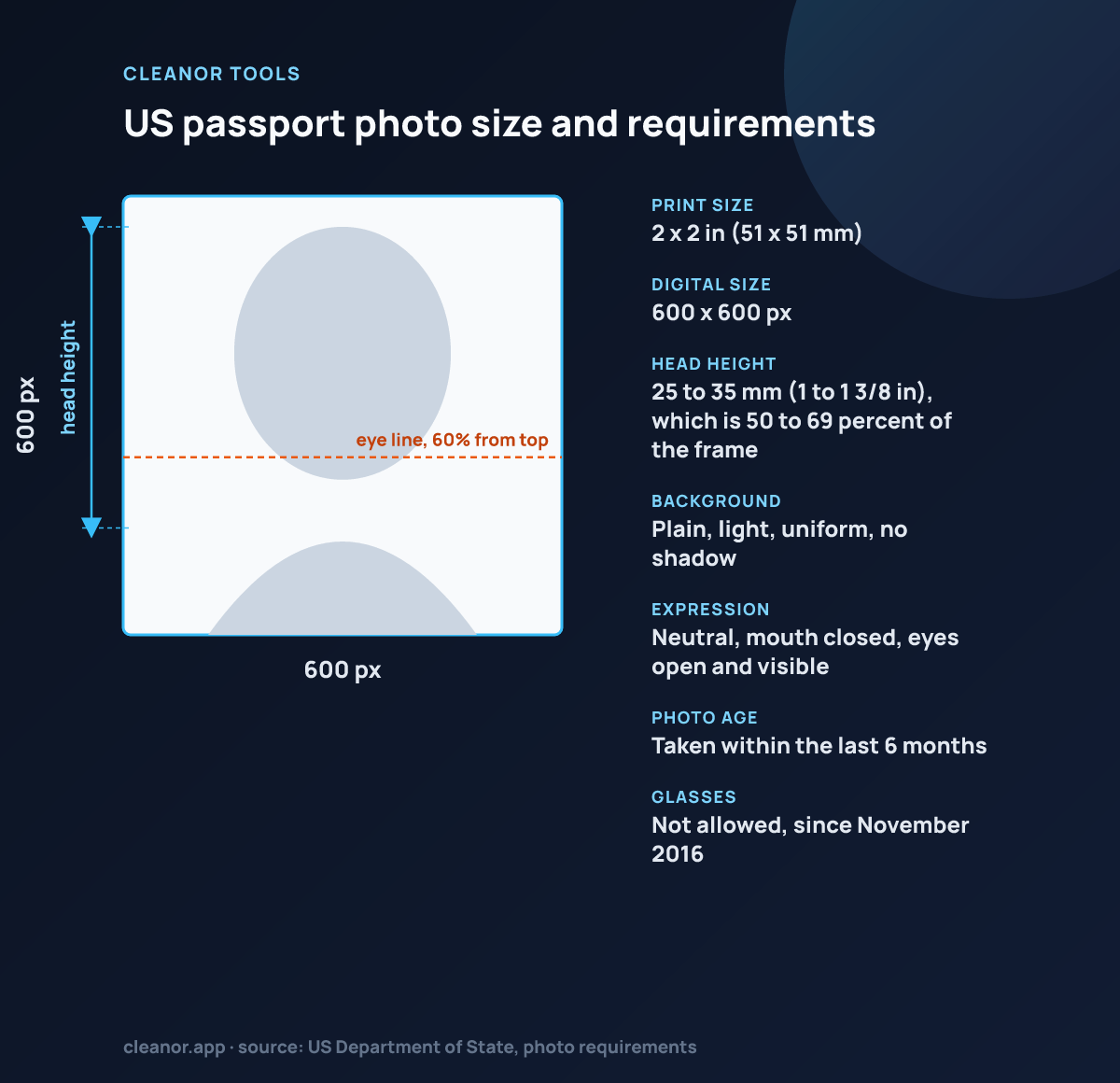
What size does this U.S. passport page use?
This page uses a 2 × 2 inch square preset, matching the standard U.S. passport photo format.
Does it guarantee compliance?
No. It helps with crop, guides, and background cleanup, but final acceptance still depends on the exact source photo and submission rules.
Is the processing local?
Yes. The portrait stays in the browser while you align and export it.
What are the exact US passport photo requirements?
A 2 x 2 inch square, in colour, taken within the last six months, on a plain white or off-white background. The head must be 1 to 1 3/8 inches from chin to crown and the eyes 1 1/8 to 1 3/8 inches from the bottom. For online submission, a JPEG of at least 600 x 600 pixels and no more than 1200 x 1200 pixels, under 10 MB.
Is 600 x 600 pixels big enough for the online application?
Yes, it is the minimum the State Department accepts and it corresponds to 2 x 2 inches at 300 DPI. If your source photo is high resolution, that is fine: the export is downscaled to the required square, not upscaled from nothing.
Can I wear glasses in a US passport photo?
No. Glasses have not been permitted since 2016 except with a signed medical statement. Take the photo without them rather than editing them out.
Does this tool confirm my photo will be accepted?
No. It gives you the correct 2 x 2 inch crop and marks the official head-height and eye-height bands, but it does not measure your face or issue a verdict. Compare your export against the State Department's published examples before submitting.
My wall is cream, not white. Is that a problem?
Plain white or off-white is accepted, so a cream wall is usually fine. The white cleanup mode can push a light, even wall toward pure white, but it will not rescue a shadowed or coloured background, and shadows behind the head are a common rejection reason.
Where does the photo go?
Nowhere. It is decoded, cropped and re-encoded on a canvas in your browser. A passport photo is exactly the kind of file that should not be sitting on someone else's server.